Adobe Premiere ProAdobe PhotoshopAdobe After EffectsAI Tools for CreatorsLive cohort in HindiRecordings in 6 hoursTelegram communityCertificateAdobe Premiere ProAdobe PhotoshopAdobe After EffectsAI Tools for CreatorsLive cohort in HindiRecordings in 6 hoursTelegram communityCertificate
The opportunity
Why video editing?
The demand for skilled video editors has never been higher, and it keeps growing.
Every brand, startup, YouTuber and entrepreneur needs video content. Raw footage means nothing without a skilled editor who can turn it into something that gets views, shares and sales.
Video editing is no longer just a technical skill. It is a career, a business and a superpower, from YouTube channels and reels to brand campaigns and documentaries. This cohort is built to fill exactly that gap.
Turn ordinary videos into high-retention content: motion graphics, VFX, tracking and AI workflows.
Complete only
Introduction to After Effects & Interface
Composition Settings & Timeline Basics
Transform Properties & Keyframe Animation
Graph Editor & Smooth Motion
See all 19 classes
Text Animation for YouTube Videos
Shape Layers & Motion Graphics
Masks & Layer Visibility
Track Mattes & Advanced Layer Compositing
Motion Blur & Realistic Movement
Effects & Presets
Green Screen (Keying)
Tracking & Motion Tracking
3D Layers & Camera Movement
Using After Effects with Premiere Pro
Map Animation with GeoLayers
Exporting & Rendering
AI Tools Overview for Video Creators
AI Video Generation & B-Roll Creation
The AI Workflow Most Editors Don't Know
Missed a class? The recording appears on your personal student dashboard within 6 hours.
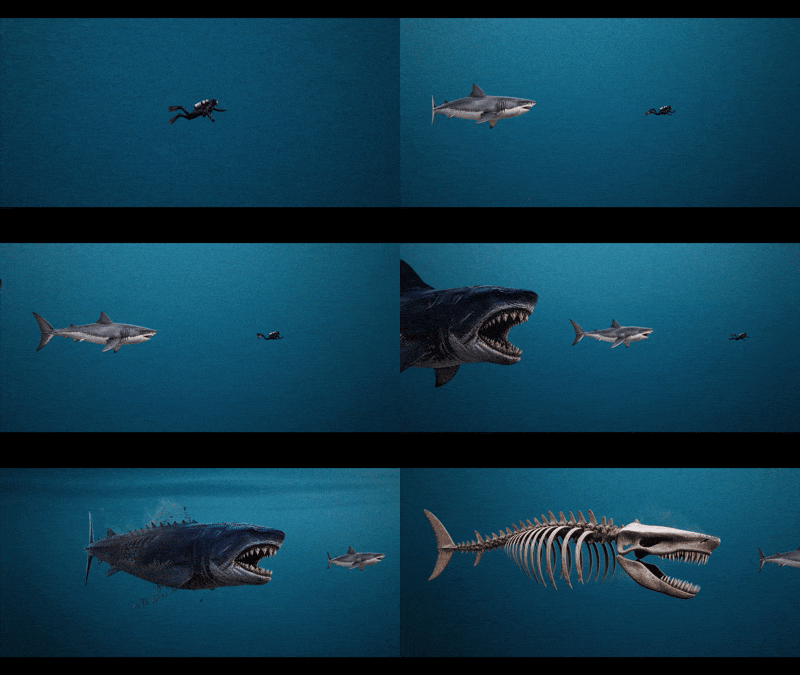
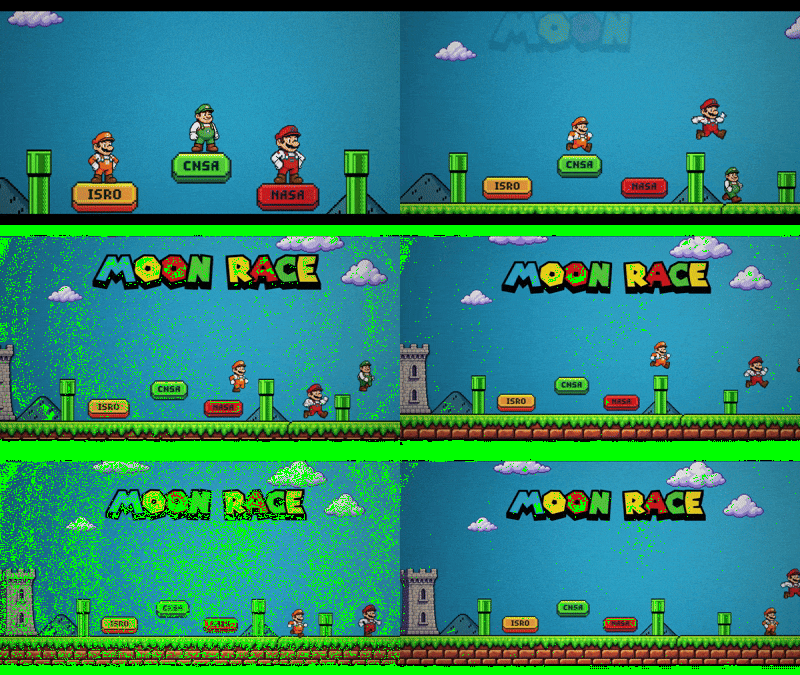
Inside the Editing Experience
Real Antariksh TV videos, edited with the same tools and techniques you learn in this cohort.
WHY THIS COHORT?
Why this cohort
Not just a course.
What makes the ATV Creator Cohort different from generic pre-recorded editing courses.
Expert-led live classes
Real teaching on Zoom with live Q&A, guided by Antariksh TV standards. Not pre-recorded tapes.
Taught in Hindi
Every session, concept and tool is explained in Hindi / Hinglish. No language barrier.
Small, focused batches
Not a mass automated course. You get real attention, custom feedback and responsive peer support.
Recordings in 6 hours
Every live class is recorded and added to your dashboard within 6 hours. Missed one? Catch up any time.
Telegram community
An active circle to share drafts, get quick feedback and find collaborators.
Backed by Kaushik
Built by Kaushik Bhattacharjee: 9+ years in the creator space, reaching millions. Learn what actually works.
Infotainment broadcasterKaushik Bhattacharjee
The face behind it
Kaushik Bhattacharjee
Started from Jamshedpur in 2017 with a basic camera and a dream, Antariksh TV today reaches over 7 million people across social media. Kaushik has spent 9+ years mastering video composition, thumbnail styling and storytelling, producing over 2,000 documentary-style videos.
He has worked with leading brands and built one of India’s best-known infotainment hubs. Now he is putting everything that works in the real world into one focused creator cohort.
Live classes on Zoom, taught in Hindi/Hinglish by Kaushik Bhattacharjee. One-time payment, incl. GST. Every higher plan includes everything in the plan below it.
90 days
2-hour live classes
Live on Zoom
Hindi / Hinglish
Batch 2 start date: to be announced
Essential
Beginners who want to learn professional video editing from zero.
₹7,999one-time · incl. GST
12 live classes24 live hours
Included: Premiere Pro A to Z (12 classes)
Not included: Photoshop: thumbnails, posters, branding
Not included: After Effects: motion graphics, VFX
Not included: AI Tools for Creators
Included: Recordings within 6 hours
Included: Telegram group: Premiere batch
Included: Final project + certificate: Premiere Pro
After Effects + AI Tools19 classes · 38 hoursComplete only
Good to know
Everyone attends the same live class; you join the modules in your plan.
Missed a class? The recording appears on your student dashboard within 6 hours.
Your certificate unlocks after your final project is submitted and approved.
Pay by UPI, card or net banking through Razorpay. No Cost EMI available (ICICI, Yes Bank), starting around ₹467/month.
Upgrades
You can upgrade any time during the batch (Essential → Pro, Essential → Complete, Pro → Complete). The upgrade price is the difference between the plans; message us on WhatsApp to upgrade.
Hear it straight from the students who learned video editing with us.
4.6★★★★★★★★★★out of 5Rated by our students
PPrashant KumarATV Academy student
DDevATV Academy student
“
★★★★★
I really enjoyed learning video editing here. The classes were easy to understand, and everything was explained in a simple and practical way. I learned a lot during the course and got much more confident with editing. The guidance and support were also really helpful whenever I had any doubts. Overall, it was a great learning experience, and I’m happy that I chose to learn video editing here.
MMahansh TiruwaATV Academy student“
★★★★★
Bhai sach bolu to bahut maza aaya seekhne mein 😄 sab simple samjhaya, aur ab editing karte waqt confidence feel hota hai. Thanks ATV Academy 🙌
NNappyATV Academy student“
★★★★★
Sabse acchi baat thi ki doubt kabhi pending nahi raha. Guidance itni clear thi ki seekhna enjoy karne laga. Ab editing mein khud pe bharosa hai.
RRahul KumarATV Academy student“
★★★★★
I’d wanted to learn video editing for a long time but never found the right guidance. This course made learning feel enjoyable instead of stressful. The teaching was clear, practical and easy to follow, and After Effects turned out to be the most useful part for me. The teachers were patient with every doubt I had. The confidence I have now is something I didn’t have before. I’m genuinely glad I joined the batch of ATV Academy.
AAnujATV Academy student
Questions
Got questions?
Everything you need to know about the batch, timings and payments.
Do I need any prior experience to join?
Not at all. The cohort is designed for complete beginners. We start from the basics and take you to a professional level step by step. All you need is a computer and the willingness to learn.
Who teaches the live classes?
Live classes are taken by expert instructors approved by Kaushik Bhattacharjee, who oversees the curriculum, standards and quality.
When are the live classes?
Classes run on Zoom, two hours each. The Batch 2 start date will be announced; the schedule is shared by email, on your student dashboard and in the Telegram group before the batch begins.
What if I miss a live class?
Every class is recorded and appears on your student dashboard within 6 hours, so you never fall behind.
Do I need to buy Adobe software?
Yes, you need access to the Adobe Creative Cloud apps for your plan. Adobe offers a 7-day free trial to start with.
Can I upgrade my plan later?
Yes. You can upgrade any time during the batch (Essential to Pro, Essential to Complete, Pro to Complete) and pay only the difference between the plans.
What is the refund policy?
A partial refund is available if you cancel more than 3 days before the batch start date. Once the batch has started, no refund is provided.
Can I pay in instalments?
Yes. No Cost EMI is available through Razorpay (ICICI, Yes Bank), starting around ₹467 per month. Select EMI inside the payment window.
Stop watching. Start creating.
Batch 2 seats are limited. Pick your plan and start learning with a live cohort.